Blog
How we're redesigning our CLI so AI agents don't get stuck
An interactive prompt is a deadlock for an AI agent. Here is the nine-rule contract we now build the Swell CLI against, including the parts we haven't shipped.
Here is how an AI agent gets stuck on a CLI. It runs swell create app to scaffold a Swell app, and the CLI does what CLIs have done for decades: it asks a question. "What is the primary purpose of the app?" The cursor blinks on a select list. Nobody is there to answer it. The agent's session sits on that prompt until the harness kills it, and in some harnesses nothing kills it at all.
An interactive prompt is good UX for a human. For an agent it is a deadlock. There is no error to read, no exit code to branch on, nothing to retry. The command is just stuck, and so is everything downstream of it.
Our own CLI still does this in the command that deploys an app, which is why we rewrote its design rules. Not as a separate agent mode. An agent-friendly CLI turns out to be an ordinary CLI with the tolerances tightened: the things agents need (non-interactive paths, parseable errors, exit codes that mean something) are things scripts and CI wanted all along. Agents just took away our excuses. In September we published a piece arguing that commerce infrastructure has to work for agents, and said we were rolling this contract out command by command. This post is that contract up close, including the parts we have not finished.
The contract
Internally it's a short doc called "CLI Command Patterns", nine rules, written by one of our engineers. Its one-line philosophy: "Help shows what's available. Errors teach how to fix." The example output in the doc still has the author's own laptop path in it. The nine rules group into three themes.
Never block. Every interactive prompt must have a flag equivalent. If swell create app asks for an app type, then --type admin has to work too, for agents and for humans who already know the answer. The -y flag accepts defaults for everything and never waits for input; when a required value has no sensible default, the command must fail immediately with an error naming the exact flag, never fall back to a prompt. And spinners and ANSI color have to vanish on their own when stdout is not a TTY, because an agent reading captured output should never have to parse escape sequences. Today we delegate that last part to ora and oclif, which check isTTY; the rule exists so the contract survives a tooling swap.
Fail usefully. Validate every input before touching anything. A scaffold that dies on the last step leaves half-created state the agent now has to diagnose; one that dies on the first line leaves nothing to clean up. Errors are an API surface, which gets its own section below. And exit codes carry meaning: 0 is success, 1 is a user error (bad input, retrying the same command will fail the same way), 2 is a system error (API down, a retry might work). Some tools use 2 for usage errors instead; what matters is that the two classes are distinguishable and documented.
Make intent explicit. Destructive commands require an explicit --confirm flag, deliberately separate from -y. The separation is the whole idea: -y means "accept defaults", and deleting something must never be a default, so an agent structurally cannot wander into a deletion by passing the skip-prompts flag it passes everywhere else. If -y is present and --confirm is missing, the command fails instantly and says so. Success output follows one shape too: a single check-mark line, then short key/value lines (a path, a type, an ID) that an agent can scrape without reverse-engineering prose.
Errors are an API
The rule we lean on hardest. Every error states what's wrong, what the valid options are, and a working example. The doc's own before and after:
# Bad
Error: Invalid type

# Good
Error: Invalid app type 'admin-panel'
Valid types: admin, integration, storefront, theme
Example: swell create app reviews --type admin
The bad version sends a human to the docs and sends an agent into a guessing loop. The good version lets both fix the command on the first retry.
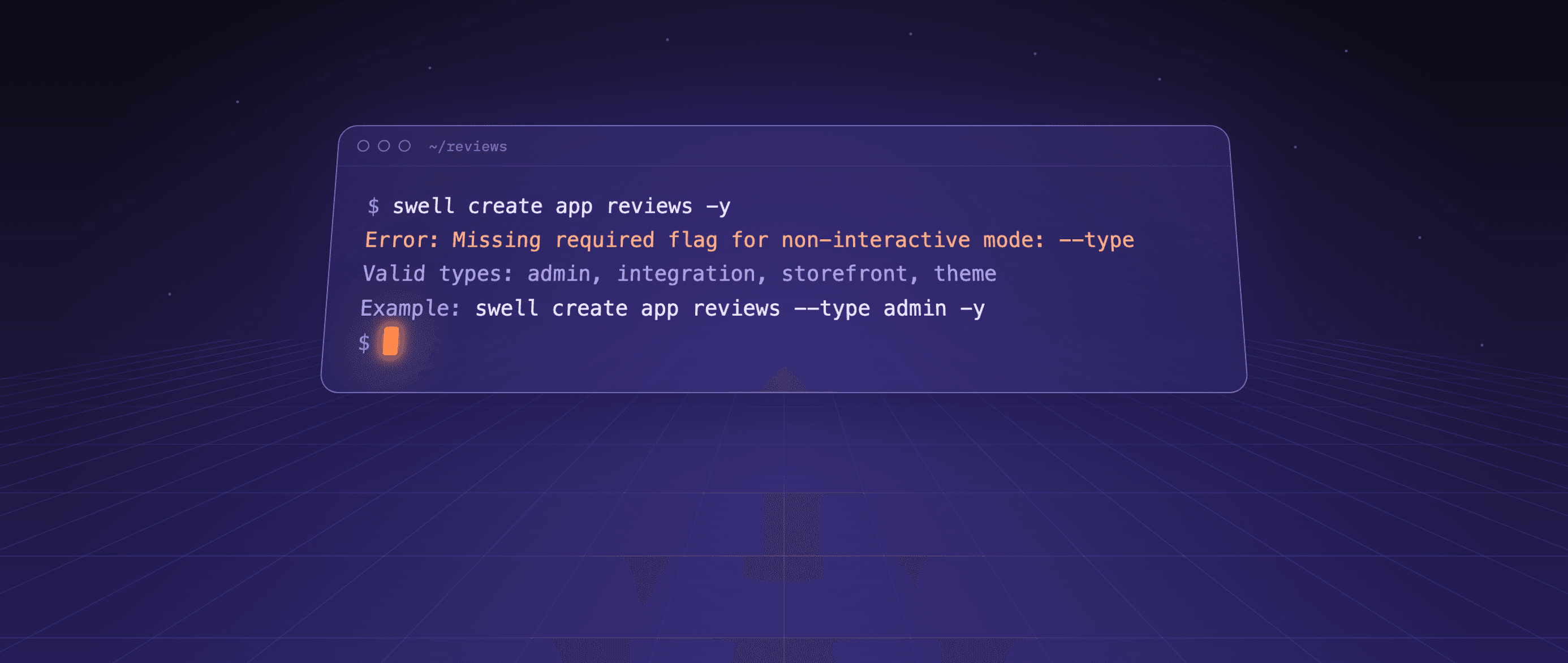
The missing-flag case is shipped: run swell create app reviews -y today without a type and the CLI fails with exactly this error (shown here without oclif's › gutter):
Error: Missing required flag for non-interactive mode: --type

Valid types: admin, integration, storefront, theme

Example: swell create app reviews --type admin -y
It reports the failure, teaches non-interactive mode, and hands over a command that will work. The same errors ship across the create family, for webhook URLs and events, notification models, function triggers. The invalid-value case has not caught up yet: pass --type admin-panel today and you get oclif's stock "Expected --type=admin-panel to be one of: admin, integration, storefront, theme", the doc's bad shape, with no example command. The target is written down; the migration is still underway.
Reading before writing
Agents guess when they cannot look, and a confident wrong guess about live store state is worse than a hang. So the CLI grew a read-only family: swell inspect with nine subcommands (content, extensions, functions, models, notifications, settings, webhooks, workflow-runs, workflows) that list what actually exists in a store, with --app=. to scope to the app in the current directory. Pass any identifier from a listing and it prints the full record as JSON, followed by a "Next steps" footer of related commands; --json drops the footer for piping. The inspect commands even accept -y as a hidden no-op, "accepted for agent compatibility" per its flag description, so an agent that cautiously appends -y to everything never hits an unknown-flag error on a command that had no prompts to skip.
What's shipped and what isn't
The honest ledger, as of 2.9.27, the version on npm today.
Prompt-equals-flag and -y are broadly in: nineteen source files define a -y flag, and the create and inspect families follow the contract. The exception we already admitted: swell app push, which can still prompt interactively when a push would replace an installed app version, and has no -y. That is the kind of hang this post opened with, sitting in our main deploy workflow. It's known and on the list.
Exit codes are mid-migration. The doc says so itself: most errors still exit 2, because that's the oclif default, and we introduce exit 1 incrementally as commands are touched. The create and inspect paths now return 1 for the validation failures they check themselves and reserve 2 for failures to reach the API. Elsewhere, don't trust the distinction yet.
--confirm has not shipped at all. The doc's own example command, swell app delete, does not even exist in the CLI. Worse, swell api delete currently executes immediately with no confirmation of any kind, which violates the rule from the opposite direction. We fixed the hangs first on the theory that a hang silently costs an entire session while an unguarded delete at least shows up in the transcript. Reasonable people could order that the other way.
And one wart we document for agents rather than hide: swell app push is not all-or-nothing. A file that fails to compile is skipped while the rest deploys, and only then does the command exit non-zero and name the failed files. Our own agent skills tell models to grep push output for compile failures and verify with swell inspect instead of assuming a failed push changed nothing.
If you're building a CLI now
Little of this is specific to Swell. Give every prompt a flag equivalent, and make -y accept defaults without ever waiting. Validate before you touch anything, write errors that hand back a working command, and let exit codes separate "don't retry" from "retry might work". Keep destructive intent in its own flag, give agents a read path so they can look instead of guess, strip the spinners when stdout isn't a TTY, and publish what isn't finished, because agents will find it anyway.
None of it is new, either. Most of this has been in clig.dev for years, and good CLI design always asked for it. Agents are simply the first users who refuse to work around the gaps, and we think that pressure is making the tool better for everyone who types into it.
Build your store on Swell
Headless commerce with a full API on every plan, native subscriptions and custom data models. Start a store and see how it fits your build.